Standard PDF Downloader
How to use
- Go to lese.standard.no and open the standard you want to download
- Make sure you are viewing it as PDF (not HTML)
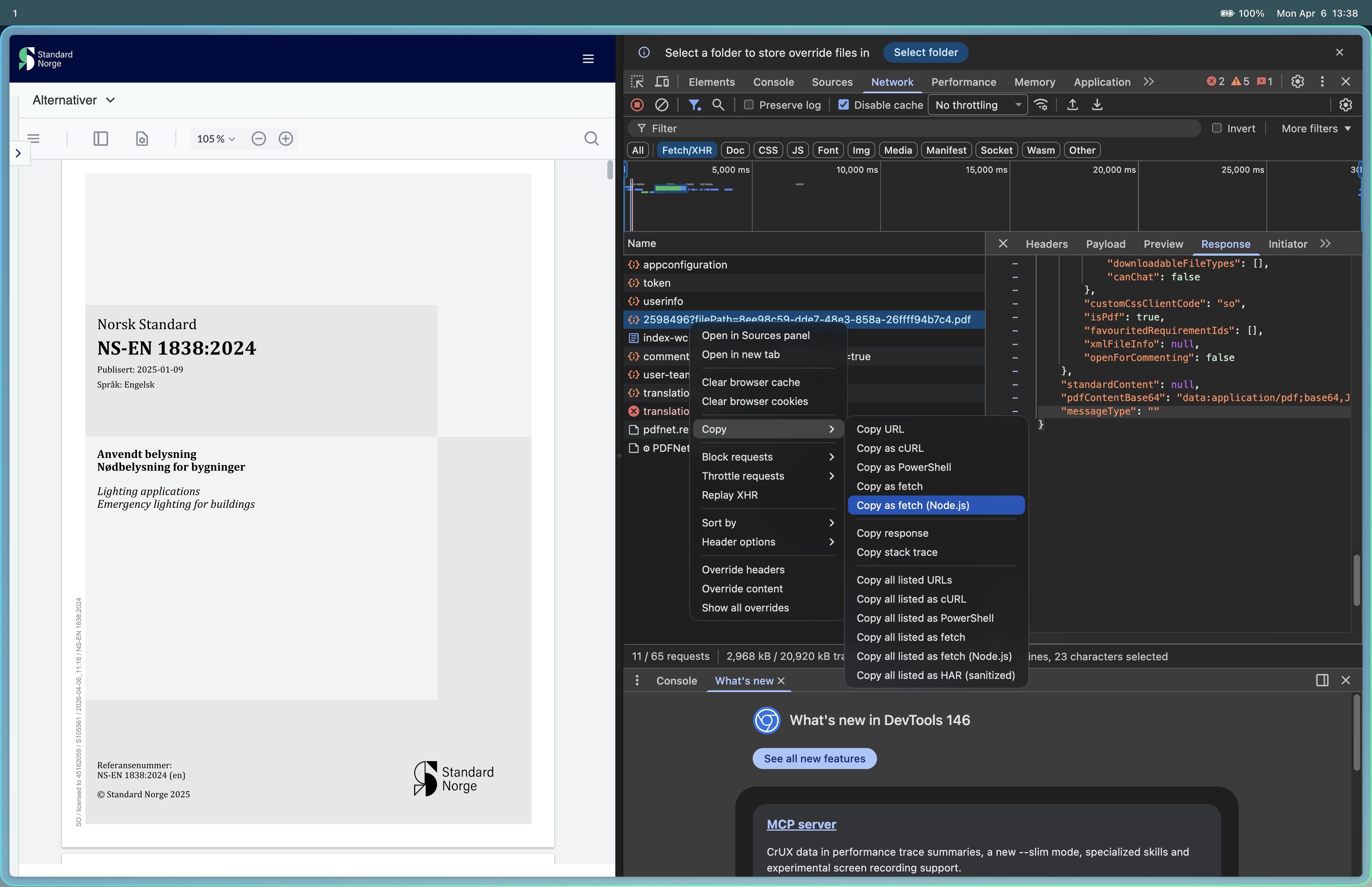
- Open DevTools: right-click anywhere on the page → Inspect → go to the Network tab
- Filter by Fetch/XHR to reduce noise
- Reload the page if needed — look for a request like:
2598496?filePath=8ee98c59-dde7-48e3-858a-26ffff94b7c4.pdf - Right-click that request → Copy → Copy as fetch (Node.js)
- Paste it into the box above and click Download PDF